Saturday, February 4, 2012
Lexmark Printer Reset Methods
Laser Printer 10R/10 Plus, 12 Series, 16 Series, Optra R & L
1. Turn the printer off
2. Enter the Diagnostics Mode by holding down the READY and RETURN buttons while powering on the printer until the display reads PERFORMING SELF TEST
3. Select MAINTENANCE COUNT
4. Select RESET to return the count to zero
5. Press the RETURN button to return to the Diagnostics Mode main menu, then reset printer to return to normal mode
Optra S, 2420/2450/2455/3455
1. Turn the printer off
2. Enter the Diagnostics Mode by holding down the GO and RETURN buttons while powering on the printer until the display reads PERFORMING SELF TEST. When ready, the display will read PRINT REGISTRATION
3. Scroll to PRINTER SETUP and press the SELECT button
4. Scroll to MAINTENANCE PAGE COUNT and press the SELECT button
5. Scroll to RESET MAINTENANCE COUNT and press the SELECT button to reset the count to zero
6. Press the RETURN button to return to the Diagnostics Mode main menu, then exit Diagnostics Mode to return to normal mode
Optra T (all models)
1. Turn the printer off
2. Enter the Configuration Menu by holding down the SELECT and RETURN buttons while powering on the printer until the display reads PERFORMING SELF TEST. After the self test, the display will read CONFIG MENU
3. Press the right arrow side of the MENU button until MAINTENANCE PAGE COUNT is on the display
4. Press the SELECT button. RESET should be displayed
5. Press the SELECT button again to reset
6. Press the RETURN button to return to the Configuration Menu and press the left arrow side of the MENU button to exit the Configuration Menu
Continue Reading..
1. Turn the printer off
2. Enter the Diagnostics Mode by holding down the READY and RETURN buttons while powering on the printer until the display reads PERFORMING SELF TEST
3. Select MAINTENANCE COUNT
4. Select RESET to return the count to zero
5. Press the RETURN button to return to the Diagnostics Mode main menu, then reset printer to return to normal mode
Optra S, 2420/2450/2455/3455
1. Turn the printer off
2. Enter the Diagnostics Mode by holding down the GO and RETURN buttons while powering on the printer until the display reads PERFORMING SELF TEST. When ready, the display will read PRINT REGISTRATION
3. Scroll to PRINTER SETUP and press the SELECT button
4. Scroll to MAINTENANCE PAGE COUNT and press the SELECT button
5. Scroll to RESET MAINTENANCE COUNT and press the SELECT button to reset the count to zero
6. Press the RETURN button to return to the Diagnostics Mode main menu, then exit Diagnostics Mode to return to normal mode
Optra T (all models)
1. Turn the printer off
2. Enter the Configuration Menu by holding down the SELECT and RETURN buttons while powering on the printer until the display reads PERFORMING SELF TEST. After the self test, the display will read CONFIG MENU
3. Press the right arrow side of the MENU button until MAINTENANCE PAGE COUNT is on the display
4. Press the SELECT button. RESET should be displayed
5. Press the SELECT button again to reset
6. Press the RETURN button to return to the Configuration Menu and press the left arrow side of the MENU button to exit the Configuration Menu

Wednesday, February 1, 2012
HP Deskjet 460wbt Mobile Printer Guide
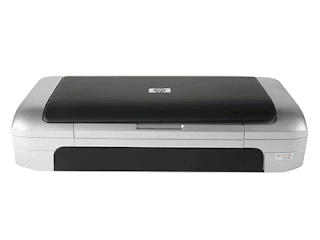
Photograph magnificent, true-to-life excuse photos in sizes from 4 x 6" to 8.5 x 11"-as source as laser-quality reports, brochures, and documents-from institution or on the roadworthy. It's all possible with this lightweight, take-everywhere machine armored with Bluetooth wireless technology and rechargeable Lithium-Ion assault. download HP Deskjet 460wbt Mobile Printer
HP Photosmart C4280 All-in-One user guide
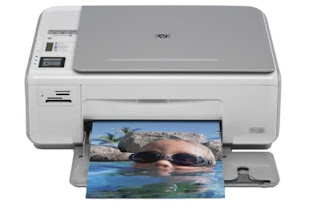
The HP Photosmart C4280 All-in-One is primed to carry you glorious, true-to-life photos uninterrupted from your camera, without a PC. Vindicatory advertising your shots on the 1.5" pass and bare to impress. You'll also get extraordinary scans and intelligent copies download HP Photosmart C4280 All-in-One get